Understanding Servers: Basics, Architecture, Classification
Introduction
This article provides a fundamental overview of servers, covering their definition, core components, various classification methods, and the ongoing competition between X86 and ARM architectures in the server market.
1. What is a Server?
A server is a specialized computer system or software application designed to provide specific functionality, resources, services, or data to other computers or devices (called “clients”) over a network. Unlike typical desktop PCs or laptops, servers prioritize:
Reliability: Minimizing downtime through redundancy and robust components.
Scalability: Ability to handle increasing workloads by adding resources.
Manageability: Tools for remote administration and monitoring.
Performance: Optimized for handling multiple concurrent requests efficiently.
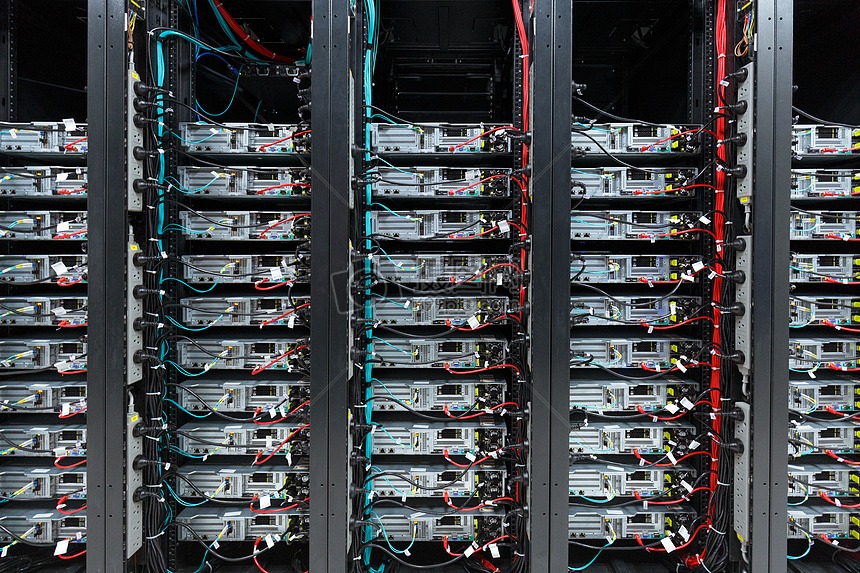
Servers form the backbone of the internet, data centers, enterprise IT, and cloud computing, powering websites, databases, applications, file storage, email, and more.
2. The Composition of a Server
A server is a complex system integrating hardware, firmware, and software.
2.1 Server Logical Architecture
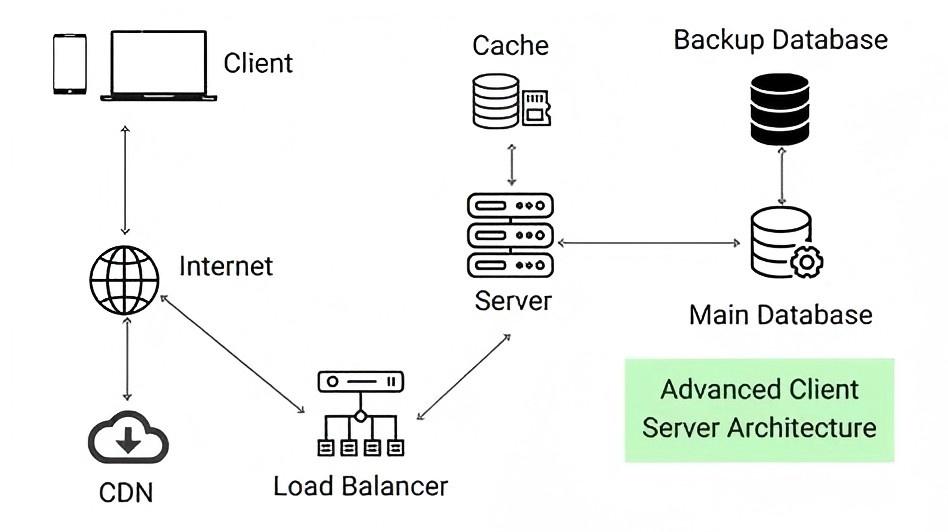
Conceptually, a server can be viewed in layers:
Hardware Layer: Physical components (processors, memory, storage, network interfaces, power supplies).
Firmware/BIOS/UEFI Layer: Low-level software embedded on hardware (motherboard) that initializes components and provides the interface between hardware and OS.
Operating System (OS) Layer: The core software platform (e.g., Linux, Windows Server) managing hardware resources and providing services.
Application Layer: The specific software providing the server’s intended service (e.g., Apache web server, Microsoft Exchange, MySQL database).
2.2 Server Hardware
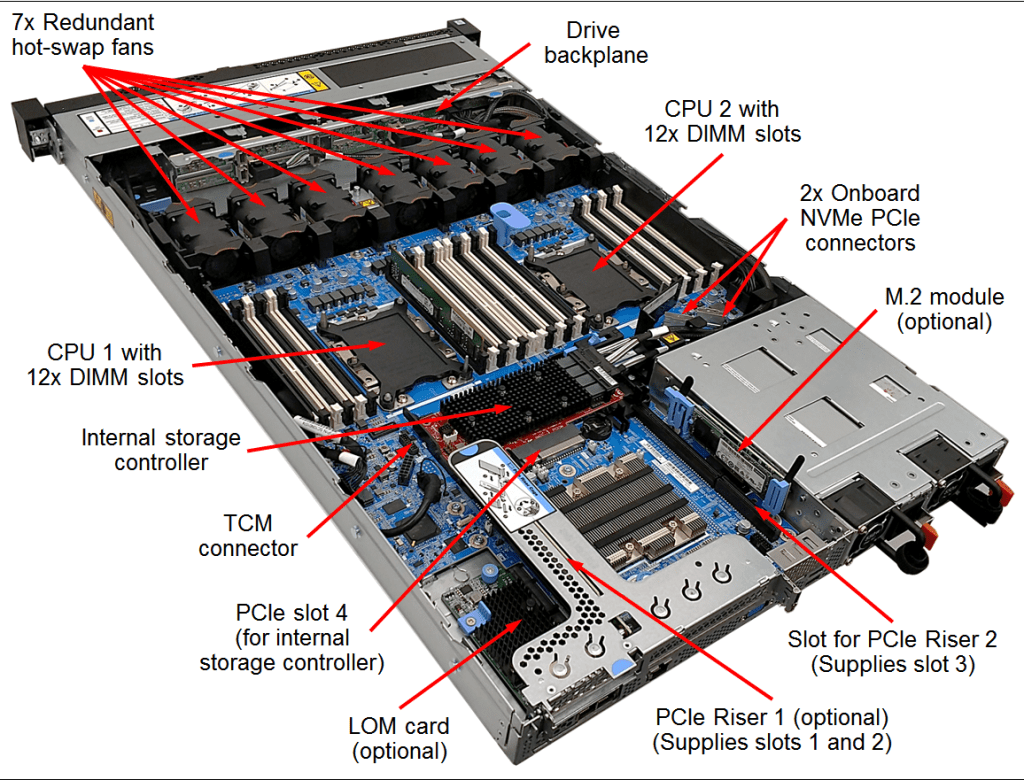
Key physical components include:
Processor(s) (CPU): The “brain” executing instructions. Server CPUs often have more cores, larger caches, and support for advanced features like ECC memory and multi-socket configurations.
Memory (RAM): High-speed temporary storage for active data and applications. Server RAM typically uses Error-Correcting Code (ECC) to detect and correct data corruption.
Storage: Persistent storage for OS, applications, and data. Includes HDDs (high capacity), SSDs (high speed), NVMe drives (very high speed), and often complex RAID configurations for redundancy/performance.
Network Interface Cards (NICs): Connect the server to the network, often featuring high bandwidth (10GbE, 25GbE, 100GbE) and multiple ports for redundancy/load balancing.
Motherboard: The main circuit board connecting all components. Server motherboards are designed for stability, expandability, and often include management controllers (e.g., BMC).
Power Supply Unit(s) (PSU): Convert AC power to DC for components. Servers often have redundant, hot-swappable PSUs.
Cooling System: Critical for managing heat generated by powerful components, using fans, heatsinks, and sometimes liquid cooling.
Chassis/Enclosure: Houses and protects components. Form factor varies (rack, blade, tower).
2.3 Server Firmware and OS
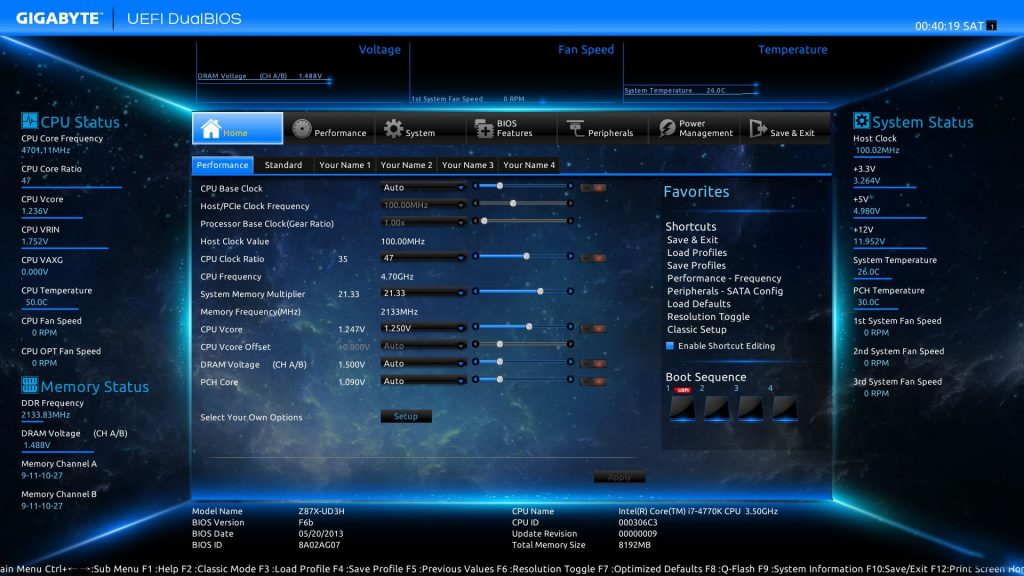
Firmware (BIOS/UEFI): Responsible for Power-On Self-Test (POST), initializing hardware, and booting the OS. UEFI has largely replaced older BIOS, offering faster boot times, larger disk support (>2TB), and a more user-friendly interface. Server firmware often includes extensive hardware configuration and diagnostics.
Baseboard Management Controller (BMC): A specialized microcontroller embedded on the server motherboard. It enables Out-of-Band (OOB) management (e.g., via IPMI, Redfish), allowing administrators to monitor hardware health (temps, voltages, fans), control power (on/off/reboot), and access the console remotely, even if the OS is down.
Operating System (OS): The core software environment. Common choices include:
Linux Distributions: Dominant in web servers, cloud, HPC, and many enterprise environments (e.g., Red Hat Enterprise Linux, SUSE Linux Enterprise Server, Ubuntu Server, CentOS Stream). Prized for stability, security, open-source nature, and cost.
Windows Server: Widely used in enterprise environments requiring Active Directory, Microsoft SQL Server, Exchange, SharePoint, and tight integration with Windows clients. Offers a familiar GUI and extensive commercial support.
Unix Variants: Less common now, but historically important (e.g., AIX on IBM Power, HP-UX on legacy HP Integrity servers).
Hypervisors: While technically OS-like, hypervisors (e.g., VMware ESXi, Microsoft Hyper-V, KVM, Xen) are specialized to create and manage virtual machines (VMs), allowing multiple guest OSes to run on a single physical server.
3. Classification of Servers
Servers can be categorized in several ways:
3.1 By Product Form Factor
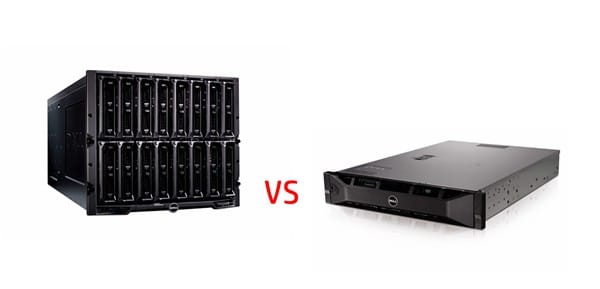
Rack Servers: The most common type. Mount vertically in standardized 19-inch wide racks (measured in height units “U” – e.g., 1U, 2U, 4U). Optimized for density and centralized management in data centers.
Blade Servers: High-density form factor. Multiple “blade” servers (containing CPU, memory, storage controllers) slide into a shared chassis that provides power, cooling, networking, and management. Maximizes compute density per square foot.
Tower Servers: Resemble large desktop PCs. Standalone units used in smaller offices, remote locations, or as entry-level servers where density isn’t critical. Easier to set up initially.
Modular/Composable Infrastructure: Emerging architecture where compute, storage, and networking resources are disaggregated and pooled. Resources can be dynamically composed into logical servers based on workload needs (e.g., HPE Synergy, Dell PowerEdge MX).
3.2 By Instruction Set Architecture (ISA)
x86/x86-64 Servers: Based on the CISC ISA pioneered by Intel and adopted by AMD. Dominates the general-purpose server market (estimated >90% share). Runs Windows Server, Linux, and major hypervisors.
ARM Servers: Based on the RISC ISA developed by Arm Ltd. Licensed to chip vendors (e.g., Ampere, Fujitsu, AWS Graviton, Huawei Kunpeng). Gaining traction, especially in cloud providers and scale-out workloads, due to potential power efficiency advantages. Runs Linux distributions compiled for ARM64.
Other Architectures:
IBM Power (POWER ISA): Used in high-end, mission-critical systems (e.g., IBM Power Systems), known for high RAS (Reliability, Availability, Serviceability) features and strong performance in specific workloads (e.g., databases, AIX/IBM i).
IBM Z (z/Architecture): Mainframe systems designed for extreme scalability, security, and unparalleled transaction processing capability for the largest enterprises.
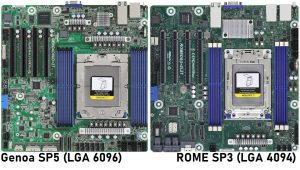
3.3 By Processor (Socket) Count
Single-Socket Servers: Entry-level or workload-specific servers with one CPU socket. Sufficient for basic file/print, small business applications, edge computing, or dedicated network functions.
Dual-Socket Servers: The most common configuration for mainstream enterprise workloads (virtualization, databases, web/app servers, collaboration). Offers a balance of performance, scalability, and cost.
Multi-Socket Servers (4S, 8S, 16S+): High-end servers designed for mission-critical applications, large databases, in-memory computing, ERP, and high levels of consolidation. Offer massive memory capacity and CPU core counts. Primarily x86 and IBM Power.
3.4 By Application Type (Workload)
General Purpose: Handle a variety of common workloads (virtualization, web/app serving, file/print, collaboration).
Storage Servers: Optimized for high storage capacity and I/O performance (e.g., NAS heads, SAN controllers, backup targets).
Database Servers: Tuned for high transaction rates, low latency, and large memory capacity for caching.
High-Performance Computing (HPC) Servers: Built for complex simulations, modeling, and scientific computing, often featuring dense compute nodes, high-speed interconnects (InfiniBand), and accelerators (GPUs).
AI/ML Servers: Equipped with multiple powerful GPUs or specialized AI accelerators (TPUs, NPUs) for training and inference workloads.
Cloud Servers: Virtual or physical instances provisioned on-demand from cloud service providers (CSPs).
Edge Servers: Ruggedized, compact servers deployed outside centralized data centers (e.g., factories, retail stores, cell towers) for local processing with low latency.
4. The X86 vs. ARM Battle
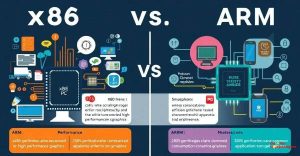
The server CPU landscape, long dominated by x86, faces a significant challenge from ARM-based designs.
4.1 X86 Servers: Market Dominance
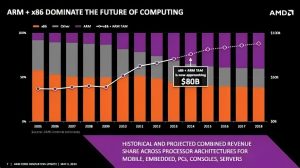
Market Share: Commands the vast majority (>90%) of the server market revenue and unit shipments.
Strengths:
Mature Ecosystem: Decades of development. Broadest compatibility with server hardware components, operating systems (Windows Server, all major Linux distros), hypervisors, middleware, and enterprise applications.
Performance Leadership: Consistently high single-threaded and multi-threaded performance across diverse workloads, especially crucial for legacy and complex enterprise applications.
Vendor Choice: Strong competition between Intel and AMD drives innovation (core count, frequency, power efficiency, features like PCIe 5.0, DDR5, CXL).
Software Optimization: Vast majority of enterprise software is heavily optimized for x86.
Challenges: Historically higher power consumption per core compared to ARM designs (though improving significantly), licensing costs (CPU vendors), potential vendor lock-in dynamics.
4.2 ARM Servers: Significant Potential
Market Position: Still a relatively small share (low single-digit %), but growing rapidly, especially in hyperscale cloud data centers.
Strengths:
Power Efficiency: The RISC heritage and licensing model often allow ARM chip designers to create cores highly optimized for performance-per-watt. Crucial for reducing massive data center OPEX (operational expenditure – power, cooling).
Customization: The Arm licensing model allows vendors (like AWS, Ampere, Fujitsu, Nvidia) to design highly customized SOCs (System-on-Chip) tailored to specific workloads (e.g., cloud-native, scale-out, AI inference).
Scalability: Potential for very high core counts in a single SOC.
Cost Structure: Potential for lower chip licensing costs (though TCO depends on many factors).
Challenges:
Ecosystem Maturity: While Linux support is strong, support for Windows Server is limited/emerging. Some enterprise software and drivers still lack ARM64 versions or optimizations. ISV (Independent Software Vendor) adoption is growing but lags behind x86.
Performance Consistency: While excelling in specific cloud-native and scale-out workloads, performance parity with top x86 chips across the entire spectrum of complex enterprise applications is still evolving.
Legacy Application Support: Running older x86 applications requires emulation (e.g., Rosetta 2 on macOS, similar solutions emerging for Linux), which incurs a performance penalty.
Conclusion
The server landscape is diverse and constantly evolving. Understanding the fundamental components, the various ways servers are classified, and the dynamics between major architectures like x86 and ARM is essential for making informed decisions in IT infrastructure. While x86 remains the dominant force due to its mature ecosystem and performance breadth, ARM’s focus on power efficiency and customization presents a compelling alternative, particularly in hyperscale cloud environments and specific workloads, driving significant innovation and competition in the market.